
WordPress Maintenance Explained
A WordPress website should not be treated as something that is finished forever after launch. To stay useful, it needs ongoing care, updates, review, and improvement.
In this article, maintenance does not mean what is included in a hosting or technical support package. It means the broader responsibility of the business that owns the website: keeping the WordPress site useful, reliable, secure, easy to use, and aligned with the user flows and business needs it should support over time.
A well-maintained WordPress website should remain reliable for visitors, manageable for editors, and valuable for the business after the initial launch.

Why WordPress websites need ongoing care
A business website changes after launch. New content is added, plugins receive updates, user expectations change, SEO needs develop, and the business may need new pages, forms, integrations, or campaigns.
If the website is not reviewed and maintained over time, small problems can slowly become bigger ones. The site may become slower, harder to edit, riskier to update, or less useful for the business.
- Content can become outdated
- Forms and calls to action may stop working properly
- Plugins and themes may need updates
- Performance can decline over time
- SEO structure may need improvement as the site grows
- Old technical decisions may start limiting new business needs
This is why WordPress maintenance should be seen as part of owning a business website, not only as a technical task.
Updates are only one part of the picture
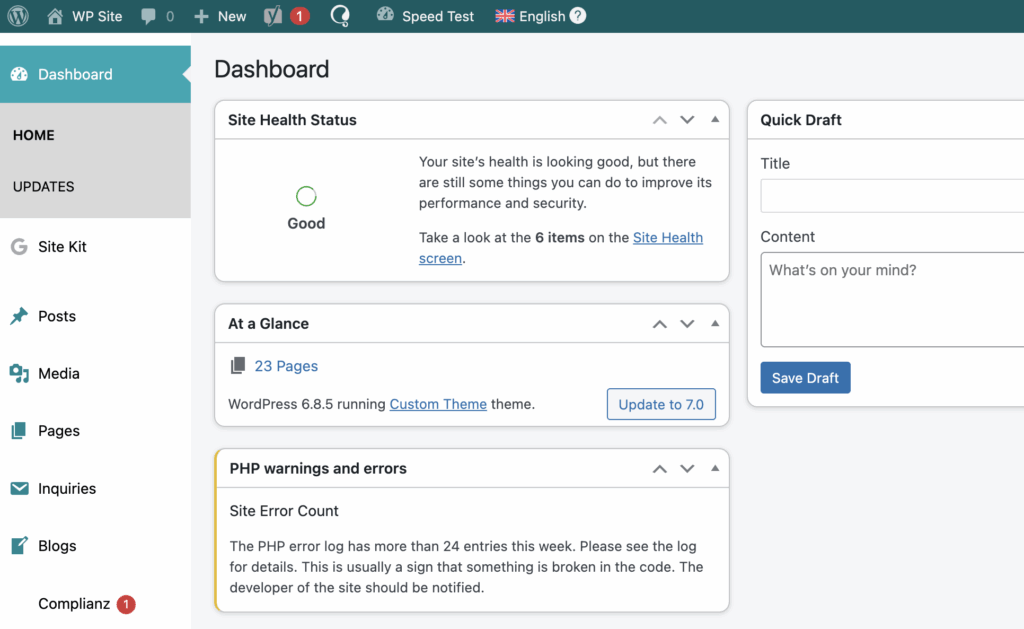
WordPress updates matter, but maintenance should not be reduced to clicking update buttons. Updates can affect plugins, themes, custom code, forms, checkout flows, booking systems, integrations, and tracking scripts.
The more dependent the website is on ready-made plugins, the more carefully updates should be planned and tested. This does not mean plugins are bad. It means each dependency needs responsibility.
If updates are delayed because they feel risky, the website may already have deeper maintenance or structure problems. Related reading: Risks of WordPress Plugins.
Backups and recovery matter
Maintenance is not only about preventing problems. It is also about making sure the site can recover if something goes wrong.
A backup is only useful if it is recent, complete, and recoverable. For a business website, recovery planning matters because broken forms, missing content, failed updates, or downtime can directly affect leads and sales.
This is especially important when the website includes ecommerce, booking systems, forms, customer data, integrations, or custom functionality.
What worries you most about keeping a WordPress site healthy?
Need help keeping your WordPress site useful and reliable?
Tell us what feels risky, slow, outdated, or difficult to maintain. We’ll help you understand what kind of WordPress support or improvement work would make sense.
Content should stay accurate and useful
A website can become outdated even if nothing is technically broken. Services change, prices change, processes change, team members change, and old content may no longer reflect how the business works.
For a business website, keeping content accurate is part of maintenance. If service pages, calls to action, blog links, forms, or contact details are outdated, the website may lose trust or create confusion.
- Service pages should reflect current services
- Calls to action should still match the user journey
- Internal links should lead to useful next steps
- Old blog articles may need updates or better links
- Forms and contact paths should still support lead generation
Security depends on responsible ownership
WordPress security is not handled by one setting alone. It depends on updates, plugin quality, passwords, hosting, permissions, backups, and how the site is managed over time.
- Outdated plugins can create risk
- Unused plugins should not remain installed forever
- Abandoned plugins can become a liability
- Old themes can create compatibility issues
- Weak access control can put the site at risk
Security does not mean avoiding all plugins or custom functionality. It means understanding what the site depends on and managing those dependencies responsibly.
Performance can decline over time
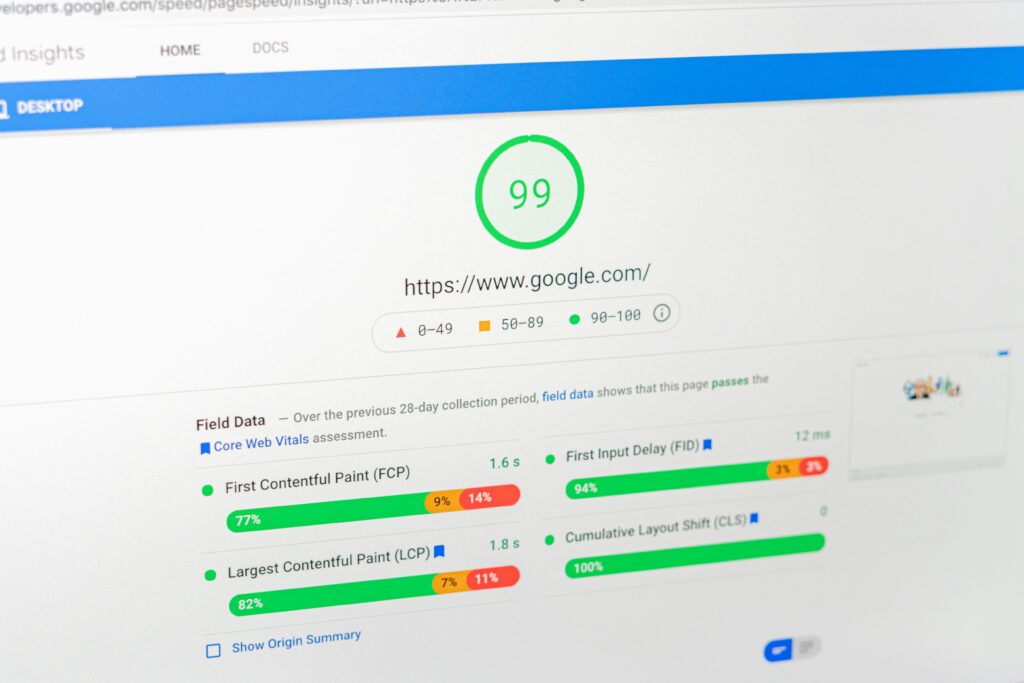
A website can become slower over time. This can happen because of new plugins, larger images, tracking scripts, unused assets, database growth, or years of small additions.
Speed affects user experience, SEO, and conversions. A site that used to feel fast may need review if the business has added new content, tools, features, or integrations over time.
For more about the business side of speed, read Website Speed and Business Performance.
The editor experience should stay manageable
A business website should be manageable. Website care should also make sure editors can update content safely without breaking layouts or depending on a developer for every small change.
- Content blocks should remain reliable
- Forms should continue working
- Reusable sections should stay consistent
- Calls to action should still point to the right pages
- Editors should know what can be changed safely
If content editing feels fragile, confusing, or risky, the issue may be deeper than ordinary maintenance. The website structure may need improvement.
When maintenance becomes development
Sometimes a website does not only need ongoing care. If the same problems keep returning, updates keep creating conflicts, or every improvement requires a workaround, the website may need development work, restructuring, or refactoring.
This is especially common when the website has grown for years without a clear technical foundation. In that case, maintenance may keep the site running, but it may not solve the underlying structure problem.
Related reading: Why WordPress Websites Become Hard to Maintain.
Signs your WordPress site needs more attention
If WordPress maintenance is unclear or inconsistent, small problems can grow into bigger risks over time.
- Updates are delayed because nobody wants to risk breaking the site
- Nobody knows what all plugins do
- The site is getting slower
- Forms or tracking sometimes fail
- Backups are unclear or untested
- Small edits feel risky
- The website no longer matches the current business needs
These signs do not always mean the website needs to be rebuilt. But they do mean the website should be reviewed before small issues become bigger limitations.
When to ask for WordPress help
If your WordPress site is important for leads, sales, bookings, or customer communication, it should not be left to slowly drift out of shape after launch.
Keeping a WordPress site useful over time can involve maintenance, content review, technical improvements, performance work, or larger development decisions. The right approach depends on what the website needs to support.
 How to Decide Between a Custom WordPress Website and a Pre-Built Theme
 WordPress is one of…
How to Decide Between a Custom WordPress Website and a Pre-Built Theme
How to Decide Between a Custom WordPress Website and a Pre-Built Theme WordPress is one of…
 WordPress Website or Custom Solution?
 Choosing between a WordPress website and a custom-built solution is not…
WordPress Website or Custom Solution?
WordPress Website or Custom Solution? Choosing between a WordPress website and a custom-built solution is not…
 Redesign or Optimisation?
 Not every website needs a full redesign. Sometimes optimisation is enough, but if…
Redesign or Optimisation?
Redesign or Optimisation? Not every website needs a full redesign. Sometimes optimisation is enough, but if…
 Why Cheap Websites Become Expensive
 A cheap website is not always cheap in the long run.…
Why Cheap Websites Become Expensive
Why Cheap Websites Become Expensive A cheap website is not always cheap in the long run.…
 Technical Debt on Websites Explained
 A website can look normal on the outside while becoming harder,…
Technical Debt on Websites Explained
Technical Debt on Websites Explained A website can look normal on the outside while becoming harder,…
 Ecommerce Structure That Drives Sales
 More traffic does not automatically create more ecommerce sales. The structure…
Ecommerce Structure That Drives Sales
Ecommerce Structure That Drives Sales More traffic does not automatically create more ecommerce sales. The structure…